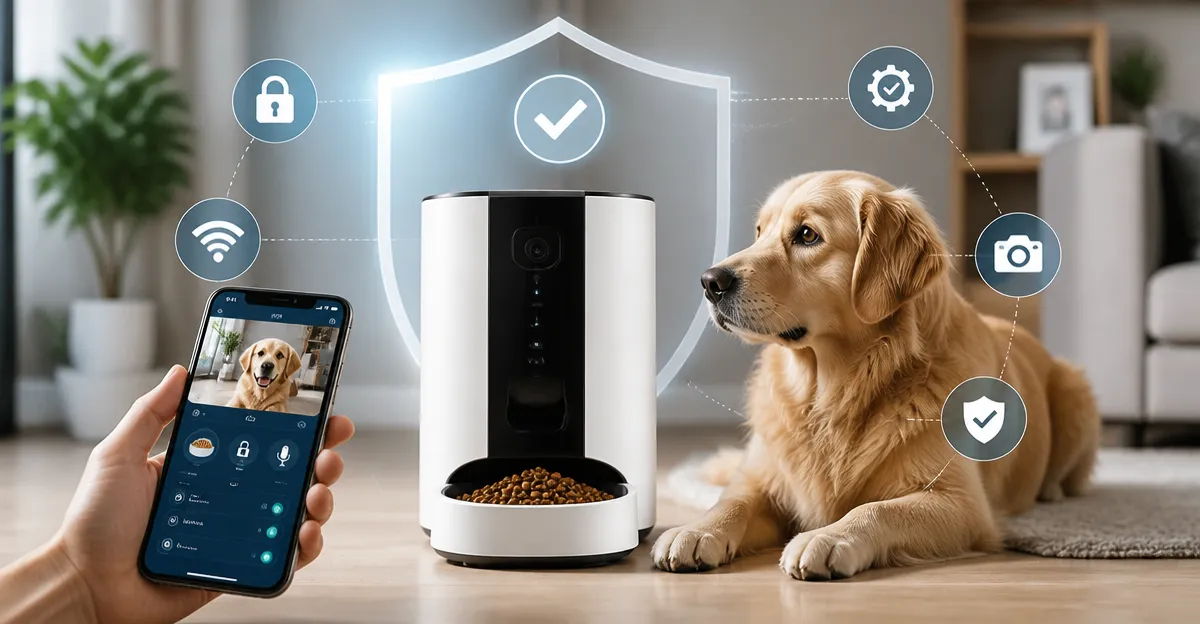
Smart Pet Feeder Safety Guide: Identify Risks, Prevent Hacking & Keep Your Pet Safe
Introduction
Smart pet feeders have transformed daily feeding routines by offering remote scheduling, portion control, and real‑time monitoring. However, the convenience of Wi‑Fi connectivity introduces new safety concerns that owners must understand. This guide explains the technical and practical risks associated with connected feeders, provides strategies to mitigate hacking and mechanical failures, and helps readers select a reliable device for their household.
Readers will learn about network vulnerabilities, data‑privacy implications, hardware safety features, and best‑practice maintenance. Throughout the guide, recommended products are highlighted to illustrate how specific features address the risks discussed.
Background / Context
Modern automatic feeders combine mechanical dispensing mechanisms with cloud‑based mobile applications. They typically rely on dual‑band Wi‑Fi (2.4 GHz and 5 GHz) to maintain a stable connection, while built‑in sensors monitor food levels, jam detection, and motion. The integration of cameras and two‑way audio creates a richer user experience but also expands the attack surface for malicious actors.
Understanding the underlying architecture is essential. Most devices use a microcontroller that communicates with a proprietary app via encrypted HTTPS requests. Firmware updates are delivered over the air, and some models store video footage on microSD cards or cloud services. When any of these components are misconfigured, the feeder can become a gateway for unauthorized access to the home network.
In addition to cyber threats, mechanical reliability remains critical. A jammed rotor, faulty lid lock, or weak battery backup can leave a pet without food for hours, leading to stress or health complications. Therefore, safety assessment must address both digital and physical dimensions.
Key Concepts and Strategies
1. Network Security and Hacking Prevention
Smart feeders that support dual‑band Wi‑Fi, such as the PETLIBRO Automatic Cat Feeder 5L, benefit from the ability to choose a less congested 5 GHz channel. However, owners should still follow these steps:
- Change the default admin password on the feeder app and enable two‑factor authentication if available.
- Place the feeder on a separate SSID or VLAN that isolates IoT devices from personal computers and smartphones.
- Regularly apply firmware updates released by the manufacturer; most updates address known vulnerabilities.
- Disable remote access features you do not use, such as cloud video storage, when privacy is a priority.
By treating the feeder as a network endpoint, owners reduce the likelihood of a compromised device being used to pivot into other home systems.
2. Data Privacy and Camera Management
Devices with built‑in cameras, like the Frienhund Cat Feeder with Camera 7L, transmit video streams to cloud servers. Users should verify that the service uses end‑to‑end encryption and offers the ability to delete recordings on demand.
- Enable motion‑triggered alerts only when needed; constant streaming can increase bandwidth usage and expose more data.
- Store footage on a local microSD card when possible; this limits exposure to remote breaches.
- Review the privacy policy to ensure the manufacturer does not sell video metadata to third parties.
Balancing convenience with privacy protects both the pet owner’s personal information and the pet’s daily routine from being exploited.
3. Mechanical Reliability and Food Safety
Physical safety hinges on robust construction, reliable seals, and effective jam detection. The PETLIBRO Cat Feeder with Camera incorporates a stainless‑steel bowl, a patented rotor, and a desiccant packet to preserve food freshness. These features mitigate common problems such as:
- Food contamination caused by exposed plastic components.
- Portion inaccuracies that can lead to over‑feeding or under‑feeding.
- Motor stalls that trigger smart alerts, allowing owners to intervene before a pet goes hungry.
Regular cleaning of the food chute and bowl, as described in the user manual, prevents bacterial growth and ensures smooth operation.
4. Power Redundancy
Power outages are inevitable. Feeders that provide dual power sources, like the oneisall Wi‑Fi Automatic Cat Feeder 3.5L, automatically switch to battery backup when mains power is lost. This design ensures continuity of service, but owners should:
- Keep spare AA or D‑cell batteries on hand and test the backup mode quarterly.
- Monitor battery health through the app’s low‑battery notification.
- Consider a UPS (uninterruptible power supply) for high‑value devices in regions with frequent storms.
Comparison / Selection Guide
Choosing the right feeder depends on three primary criteria: connectivity security, mechanical durability, and feature set. The table below summarizes the five products examined in this guide.
| Product | Capacity | Wi‑Fi Bands | Camera | Power Backup | Rating | Price (USD) |
|---|---|---|---|---|---|---|
| PETLIBRO Automatic Cat Feeder 5L | 5 L | 2.4 GHz & 5 GHz | No | Battery (AA) optional | 4.2 (10,403) | 89.99 |
| Frienhund Cat Feeder with Camera 7L | 7 L | 2.4 GHz & 5 GHz | 2K (3 MP) night‑vision | DC adapter + 3 D‑cell | 4.4 (1,626) | 59.99 |
| PETLIBRO Cat Feeder with Camera | 3 L | 2.4 GHz & 5 GHz | 1080 P HD night‑vision | Battery (AA) optional | 4.2 (11,702) | 122.99 |
| oneisall Wi‑Fi Automatic Cat Feeder 3.5L | 3.5 L (15 cups) | 2.4 GHz only | No | Power cord + battery | 4.1 (532) | 46.99 |
| faroro Cat Feeder with Camera 4L | 4 L | 2.4 GHz & 5 GHz | 3 MP night‑vision | USB + 3 AA | 4.1 (4,491) | 39.99 |
For owners prioritising security, the PETLIBRO models provide dual‑band Wi‑Fi and frequent firmware updates. Users who need a larger food reservoir and integrated camera should consider the Frienhund or faroro units, while budget‑conscious shoppers may find the oneisall feeder sufficient if they do not require visual monitoring.
Best Practices & Tips
- Secure Your Home Network. Change router default passwords, enable WPA3 encryption, and create a dedicated IoT network.
- Update Firmware Promptly. Set app notifications for firmware releases; apply them within 48 hours of notification.
- Configure Strong App Credentials. Use a unique, complex password for each feeder’s app account; avoid password reuse across services.
- Enable Two‑Factor Authentication. If the manufacturer offers it, enable it to protect against credential theft.
- Regularly Inspect Mechanical Parts. Clean the rotor, bowl, and food chute weekly; check the lid lock for wear.
- Test Power Backup Monthly. Simulate a power loss by unplugging the device and confirming that the battery kicks in without interruption.
- Set Realistic Portion Sizes. Use the app’s portion‑control slider to match the pet’s dietary requirements; avoid over‑filling the hopper.
- Monitor Alerts. Respond to low‑food, jam, or connectivity notifications within the timeframe suggested by the app (usually 30 minutes).
- Limit Camera Exposure. Turn off video streaming when not needed, and delete old recordings to minimize data retention.
- Document Serial Numbers. Keep a record of each feeder’s serial number and warranty information for quick support requests.
Frequently Asked Questions
1. Can a hacker take control of my smart feeder?
Yes, if the device’s firmware contains unpatched vulnerabilities or if weak credentials are used. Securing the home Wi‑Fi, using strong passwords, and applying updates dramatically reduce this risk.
2. Do I need a camera for pet safety?
A camera is not required for feeding reliability, but it provides peace of mind and helps detect abnormal behavior. Choose a model with local storage if privacy is a concern.
3. How often should I replace the desiccant packet?
Most manufacturers recommend replacing the packet every 30‑60 days, depending on ambient humidity. The PETLIBRO and faroro feeders both include a low‑food sensor that reminds you when a replacement is due.
4. What happens if the feeder’s motor jams?
All featured feeders send a smart alert indicating a jam. Most units will pause dispensing until the blockage is cleared, preventing food waste and protecting the motor.
5. Is battery backup reliable for long outages?
Battery backup typically supports 24‑48 hours of operation for average daily portions. Keep spare batteries on hand and test the backup mode periodically.
6. Can I integrate the feeder with a smart home hub?
Many feeders, such as the PETLIBRO and Frienhund models, are compatible with Alexa, Google Assistant, and Home Assistant via the Smart Life ecosystem. Verify compatibility before purchase.
7. How do I ensure my pet’s food stays fresh?
Use feeders that incorporate sealed lids, desiccant bags, and food‑grade stainless steel bowls. The PETLIBRO Automatic Cat Feeder 5L and faroro feeder both advertise these freshness‑preserving mechanisms.
Conclusion
Smart pet feeders combine convenience with responsibility. By understanding network security, data privacy, mechanical reliability, and power redundancy, owners can protect both their pets and their digital lives. Selecting a device that aligns with personal priorities—whether that is robust camera features, large food capacity, or budget‑friendly design—ensures long‑term satisfaction. Applying the best‑practice checklist will minimize the likelihood of hacking, food spoilage, or unexpected downtime, allowing pets to enjoy consistent, healthy meals while owners remain confident in their technology.
Products Featured in This Guide
PETLIBRO Automatic Cat Feeder 5L
Price: $89.99 | Rating: 4.2/5 (10,403 reviews)
Featured for its dual‑band Wi‑Fi, low‑food sensor, and stainless‑steel bowl that exemplify strong security and food‑freshness design.
Frienhund Cat Feeder with Camera 7L
Price: $59.99 | Rating: 4.4/5 (1,626 reviews)
Highlighted for its 7 L capacity, 2K night‑vision camera, and dual‑power supply, offering extensive monitoring and backup reliability.
PETLIBRO Cat Feeder with Camera
Price: $122.99 | Rating: 4.2/5 (11,702 reviews)
Chosen for its 1080 P HD camera, stainless‑steel bowl, and robust smart alerts, demonstrating a premium balance of visual monitoring and safety features.
oneisall Wi‑Fi Automatic Cat Feeder 3.5L
Price: $46.99 | Rating: 4.1/5 (532 reviews)
Included for its affordable price, precise portion control, and dual‑power backup, making it an excellent entry‑level option.
faroro Cat Feeder with Camera 4L
Price: $39.99 | Rating: 4.1/5 (4,491 reviews)
Featured for its compact 4 L tank, 3 MP night‑vision camera, and budget‑friendly price, providing essential safety features without excess cost.